
PeakHour 6 is out. This post covers the PeakHour 5 release from 2023. See what’s new in PeakHour 6, or read about PeakHour as a network monitor for Mac.
After 4 years of development, we’re thrilled to finally announce the release of PeakHour 5!
PeakHour 5 is the first major new release of PeakHour since 2019 and it is, by far, our biggest new release to-date. PeakHour 5 is a massive update and adds a ton of new features and capabilities that truly change what PeakHour is capable of.
Whats New?
The biggest change is the addition of an Internet Dashboard.
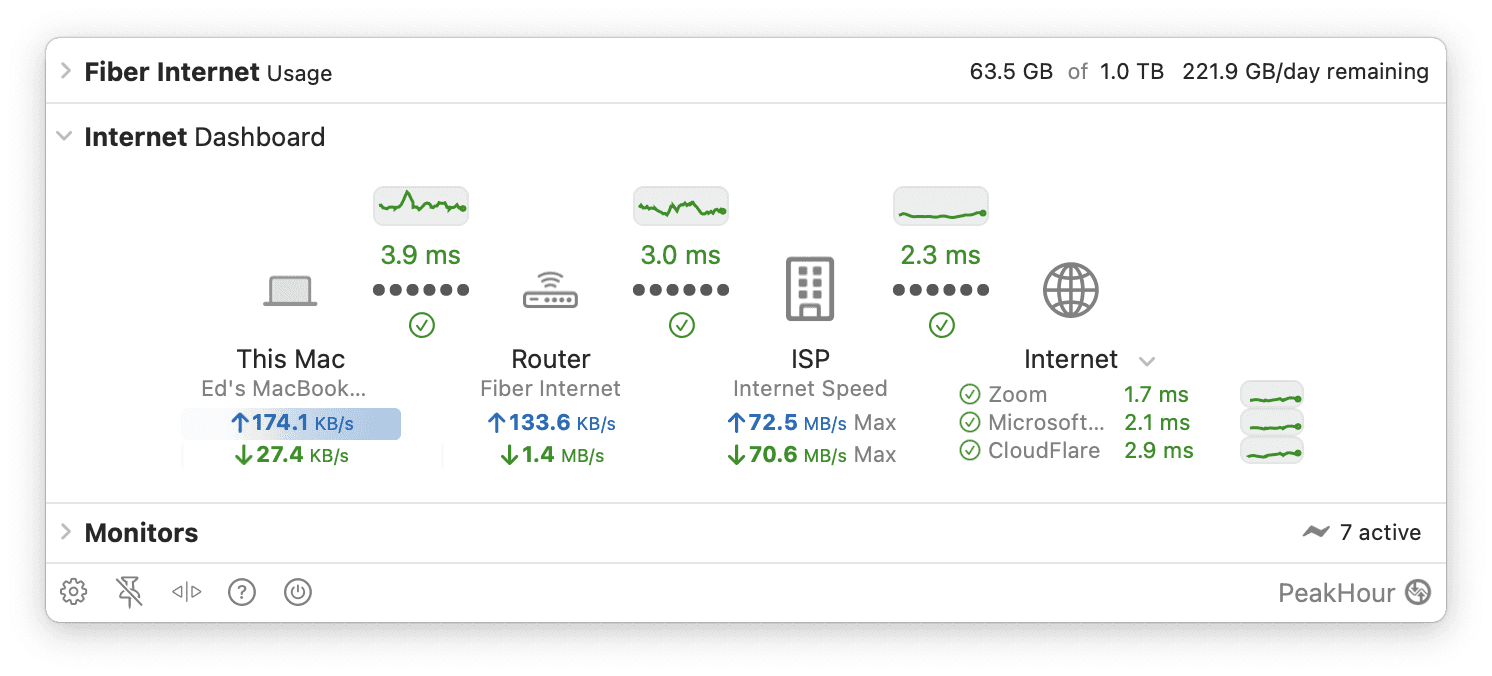
The Internet Dashboard provides an overview and summary of your Internet’s performance and responsiveness and is the new, central focus of the UI. In addition to the dashboard, PeakHour now automatically detects your path to the Internet and monitors important hops for latency and packet loss. This helps you better understand the performance of different parts of your network: your local network (Wi-Fi, Ethernet etc.), your router to your ISP and your ISP to the wider Internet. PeakHour will set up sensible defaults that should work out-of-the-box for most, but as always, you can tweak and customize to set it up exactly how you like it.
We’re super excited about it and cannot wait to see how you use it!
New Features
Here is just a sample of the new features and changes in this new version:
- Internet Dashboard: Introducing a comprehensive Internet Dashboard that provides a single-view insight into your Internet connection’s overall health. It automatically establishes and displays monitors, showcasing your local, ISP, and Internet latency, and also exhibits your Mac’s Internet connection speed.

- Multi-Host Latency Monitoring: New Multi-Host Connection Quality monitors utilize a differential latency algorithm to ascertain the latency between two Internet points (e.g., your ISP and Google), which can be configured to measure latency between any two points on the Internet. Note: The second hop should connect through the first.
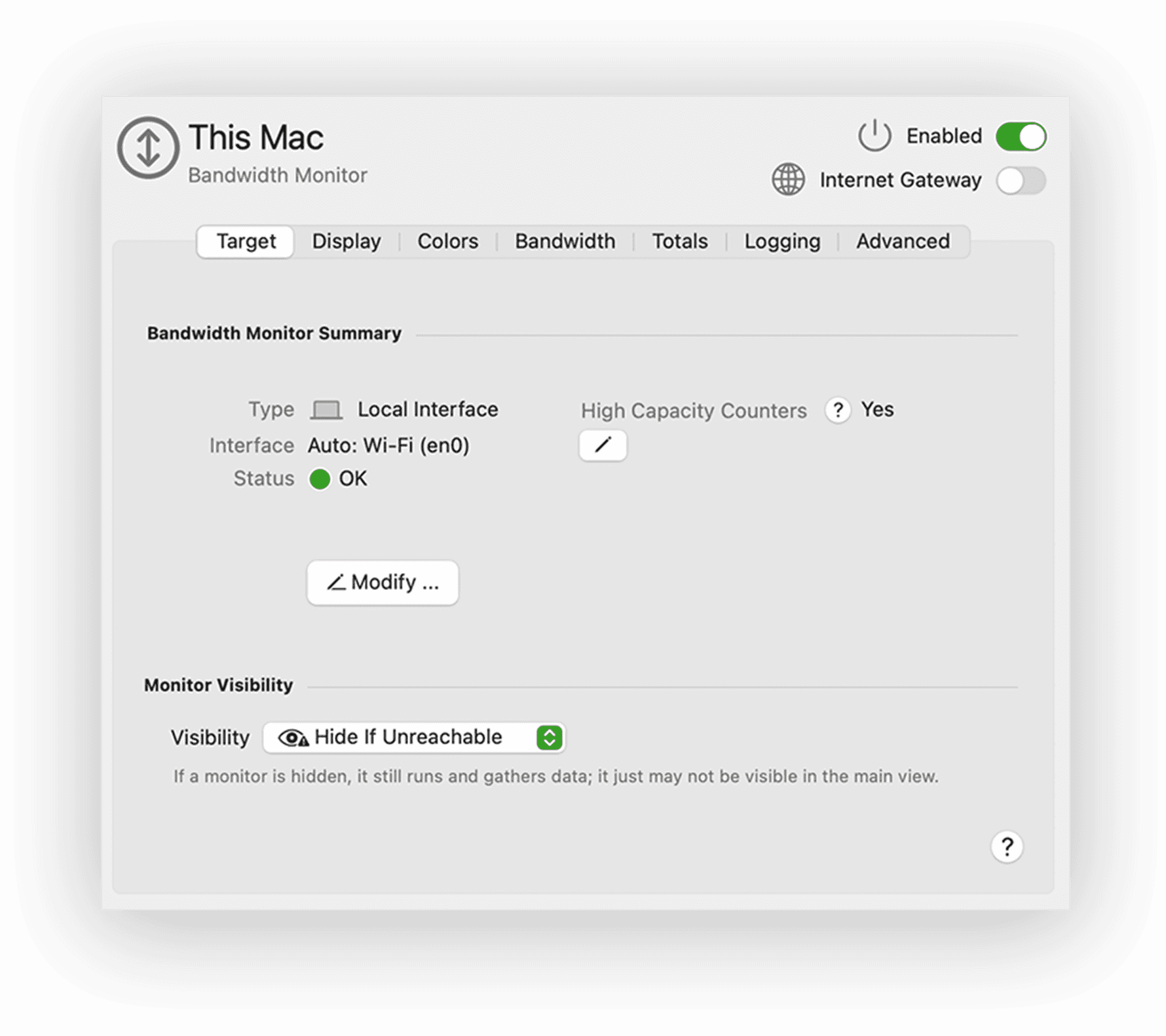
- Local Interface Monitoring: PeakHour now natively monitors your Mac’s local network interfaces, eliminating the need for PeakHour Enabler or SNMP enabling. By default, it will monitor your Mac’s primary network interface and display its throughput in the Internet dashboard.
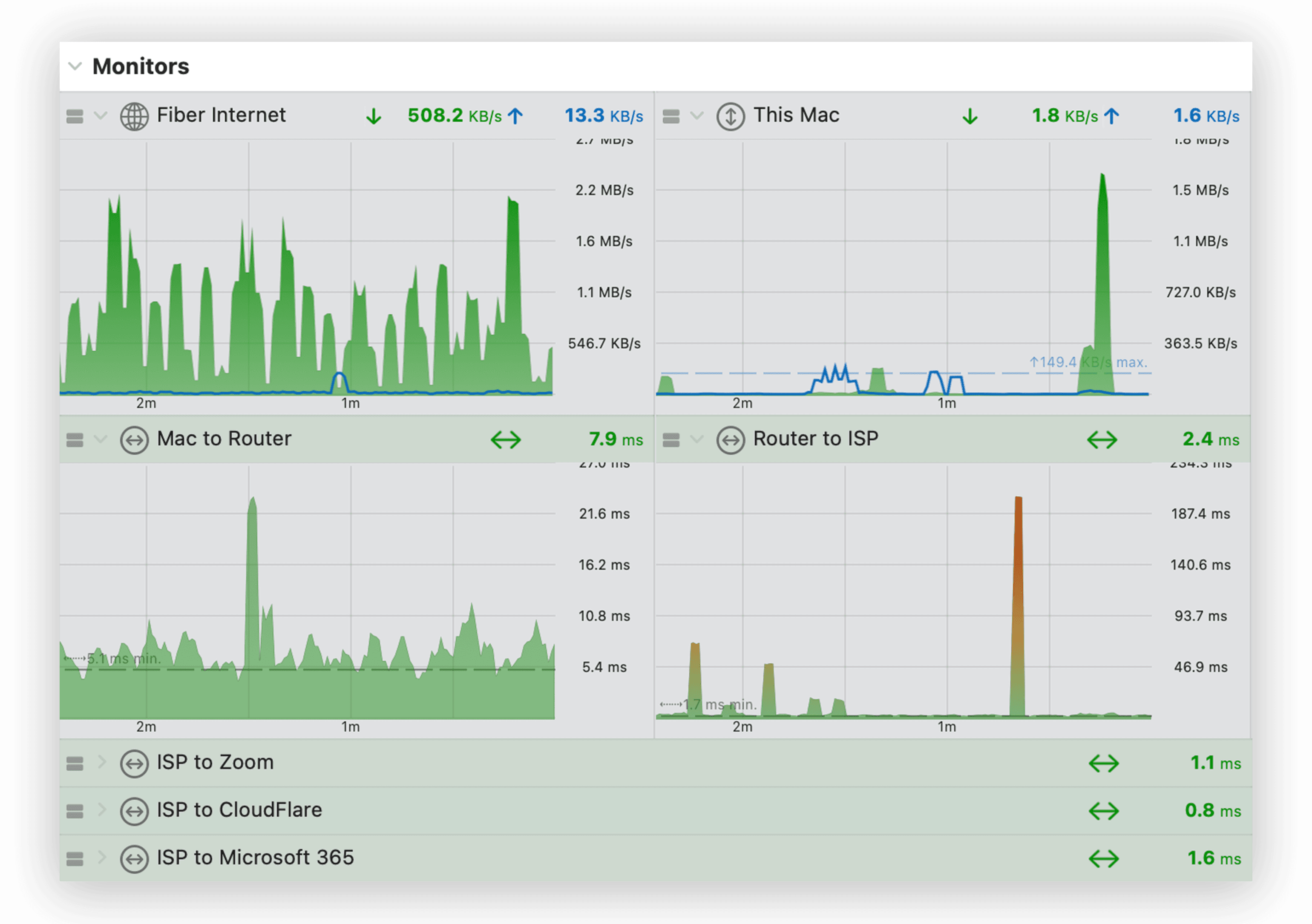
- Multi-Column Window Layout: Enhanced customization of the main window layout is now possible with Multi-Column mode, offering increased flexibility in monitor layout, particularly beneficial when numerous Monitors are in use.
and lots, lots more:
- Improved Ping Accuracy: With a new ICMP library, PeakHour now delivers more precise latency measurements, ensuring a truer latency report than before.
- Horizontal Scroll Lock: Newly introduced horizontal scroll lock allows synchronized scrolling of all graphs in the view, facilitating an easier review of recent activity across multiple monitors.
- macOS Sonoma-Ready: Built on the latest Sonoma SDK, PeakHour has updated much of its UI for the newest version of macOS Sonoma, incorporating recent UI elements and adjusting iconography, fonts, and colors to leverage the latest macOS advancements.
- Network Change Detection: PeakHour now detects changes in your Mac’s network (e.g., Wi-Fi to cellular) and attempts to reinitialize and re-detect network conditions to adapt to the new network.
- Streamlined Setup Wizard: The setup process has been further simplified to enhance user-friendliness. In most instances, accepting default settings will create a useful, working configuration.
- Subscription-Based Licensing: Transitioning to subscription-based licensing will enable us to provide more consistent updates without necessitating major version changes, which are time consuming to plan and execute. PeakHour will continue to be priced reasonably to ensure it represents good value-for-money.
- And Much More: This release also includes hundreds of smaller fixes and improvements related to performance, accuracy, and stability!
Where to get it
PeakHour is available now, exclusively in the Mac Appstore. Click the Try for free button above to grab it.
Whats next?
This is just the beginning. We’re planning to add lots more features to PeakHour in coming releases. Stay tuned to this blog and to our Twitter / X account for updates. Thanks for being part of the PeakHour community!
Warm Regards,
Ed