Bandwidth monitor for Mac
Bandwidth and data usage monitor for Mac
See how much bandwidth your whole network is using right now, how much data you've used this month, and whether you're on track to go over your ISP's cap. It all lives in your Mac's menu bar.
Free to download, with a free trial. Requires macOS 14.6 or later.
How to check bandwidth usage
- On your Mac only: Activity Monitor. Open Applications → Utilities → Activity Monitor and choose the Network tab. You'll see data sent and received by each app, and totals at the bottom. The counts reset when you restart, and they only cover this Mac.
- For your whole network: your router's admin page. Many routers show live throughput or a traffic meter in their web interface or app. Most show little or no history, though, and you have to log in each time to check.
- Continuously, from your Mac: PeakHour. PeakHour reads your router's traffic counters continuously. It graphs live upload and download for everything on your network, adds up your monthly usage and keeps the history. There's nothing to install on the router.
Monitor your router's bandwidth from your Mac
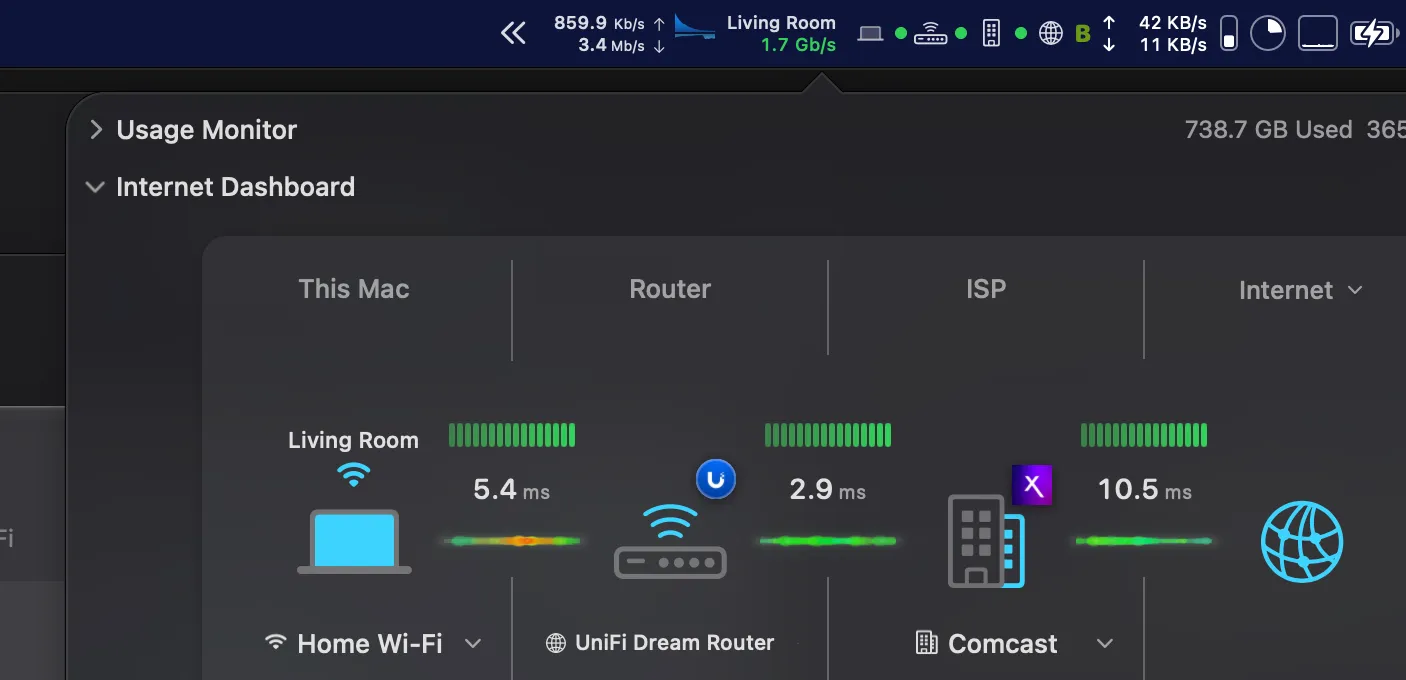
Your router sees every byte your household sends and receives. PeakHour connects to it over UPnP, which most home routers support, or SNMP, found on prosumer and business gear such as Ubiquiti, pfSense, MikroTik, Synology, and DD-WRT or OpenWrt firmware. It then shows live internet throughput for the whole network.
- Live upload and download in the menu bar and on the Internet Dashboard
- Max-bandwidth reference lines show how close you are to your plan's speed
- Detects your internet gateway automatically, and switches when you move between networks
- 64-bit high-capacity counters on supported SNMP devices, for accurate totals on fast connections
More on watching the router itself, and your ISP: the router & ISP monitor for Mac.
Track data usage against your ISP's cap
Set your monthly quota and billing reset day, and PeakHour tracks usage for the whole connection. It shows how much you've used, how much you can use per day for the rest of the cycle, and how long until it resets.
- Usage alerts: get a macOS notification or an email at any threshold you choose, such as 50%, 75% and 100% of your quota, or a fixed amount in GB.
- Peak / off-peak quotas: for plans with a separate off-peak allowance.
- Downloads only or both directions: match how your ISP counts.

Every spike, every trend
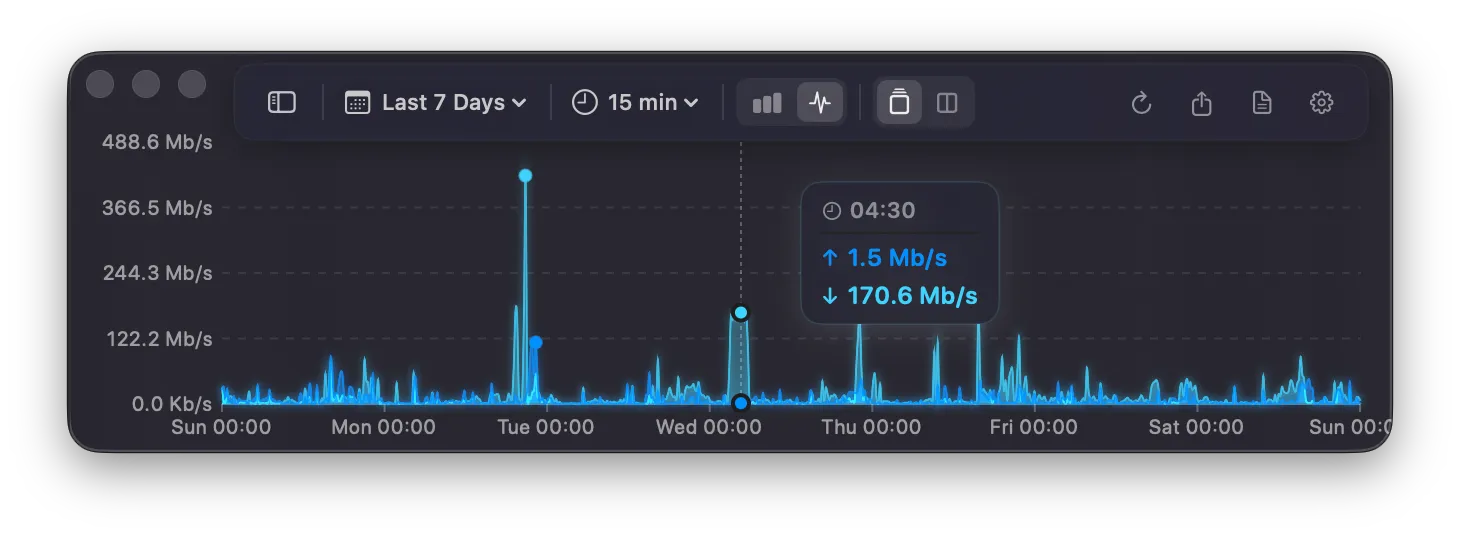
PeakHour keeps long-term bandwidth history, so you can see what "the internet was slow last night" actually looked like. Zoom from minutes to months, compare upload and download on split views, and spot congestion at a glance.
Monitor more than your router
Any device that speaks SNMP can be monitored directly: Macs, Windows and Linux PCs, servers, NAS drives, firewalls, switches and Wi-Fi access points. PeakHour Enabler turns on monitoring for other Macs in a few clicks. Your own Mac's network interfaces are monitored out of the box.
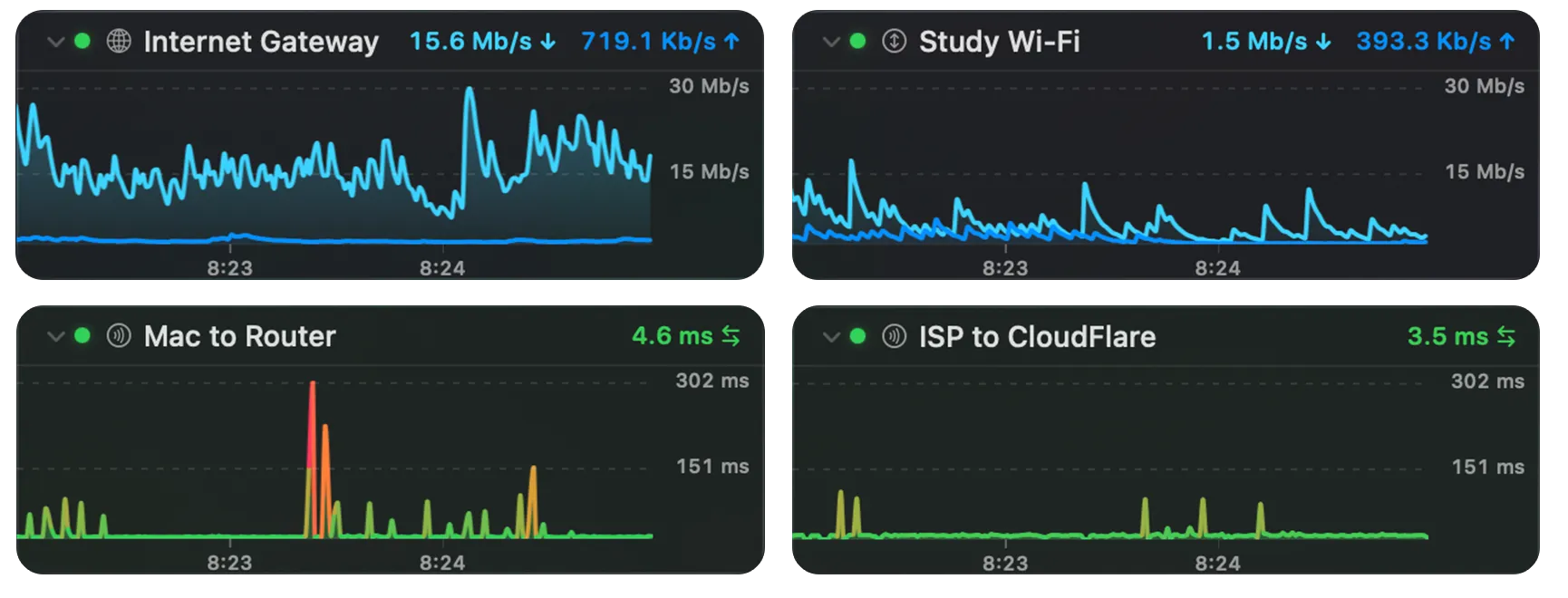
UPnP and SNMP report traffic per device and per interface, not per app or per website. To see which device is using bandwidth, monitor that device directly. To see where a slowdown starts, from Wi-Fi to router to ISP, see the network monitor for Mac.
Built for home and prosumer networks
Enterprise bandwidth tools like PRTG, SolarWinds and ManageEngine are built for IT teams. They're Windows-based, need a server and are priced per sensor. PeakHour is a native Mac app that sets itself up in minutes, lives in your menu bar, and costs $19.99 a year or $59.99 once.
Check it from your phone
PeakHour Remote puts your dashboard and monitors in any browser on your network. You can add it to your iPhone's Home Screen and check usage from the couch, with optional password protection. See the remote network monitoring guide.
Frequently asked questions
How do I check bandwidth usage on my Mac?
Open Activity Monitor (Applications → Utilities) and choose the Network tab. It shows data sent and received by each app since you last restarted. For continuous monitoring with history, and for bandwidth across your whole network, use a monitor app such as PeakHour.
How do I check my router's bandwidth usage?
Log in to your router's admin page or app and look for a traffic or statistics section. To monitor it continuously from a Mac, install PeakHour. It reads your router's traffic counters over UPnP or SNMP and graphs live throughput and monthly usage for your whole network.
How can I track my monthly internet data usage on a Mac?
PeakHour tracks usage for your whole internet connection against a monthly quota and reset day that you set. It shows data used, how much you can use per day for the rest of the cycle and the time remaining, and it sends a notification or an email at the thresholds you choose, for example at 75% and 100% of your cap.
Can PeakHour show which device or app is using my bandwidth?
It can show per-device bandwidth for devices that support SNMP, such as Macs, PCs, NAS drives and many routers and access points, by monitoring each device directly. It doesn't break traffic down by app or website, because UPnP and SNMP don't report that.
Will PeakHour work with my router?
Most home routers support UPnP, which is often disabled by default, so turn it on in the router settings. Prosumer and business routers usually also support SNMP. The quickest way to check is to download PeakHour and use the free trial. It finds compatible routers automatically.
Is PeakHour a good alternative to PRTG or SolarWinds for a home network?
Yes, if you're on a Mac. PRTG and SolarWinds are enterprise tools that need a Windows server and per-sensor licences. PeakHour is a native macOS app for home and small-office networks that monitors your router, devices, latency and data usage from the menu bar.
How much does PeakHour cost?
PeakHour is free to download from the Mac App Store with a free trial. After that, it's $19.99 a year or $59.99 for a one-time purchase.