
Network Bandwidth Monitor for macOSSee Your Network.
Like Never Before.
PeakHour 6 monitors every connection, every device, every packet — in real time. Professional network intelligence for macOS.
Requires macOS 14.6 Sonoma or later.
Features
Everything You Need to
Own Your Network
From AI-powered insights to real-time telemetry — PeakHour 6 gives you unprecedented network visibility.
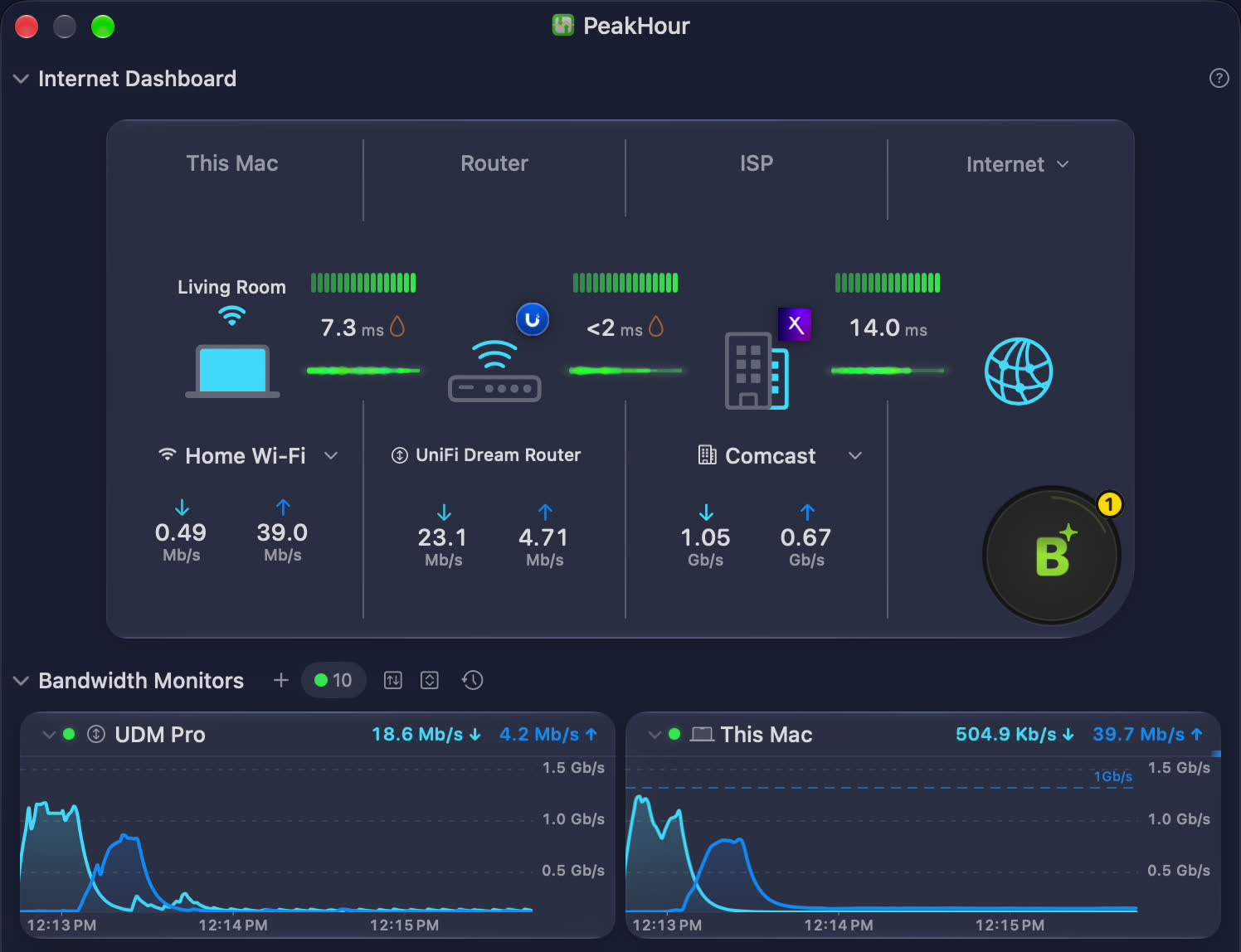
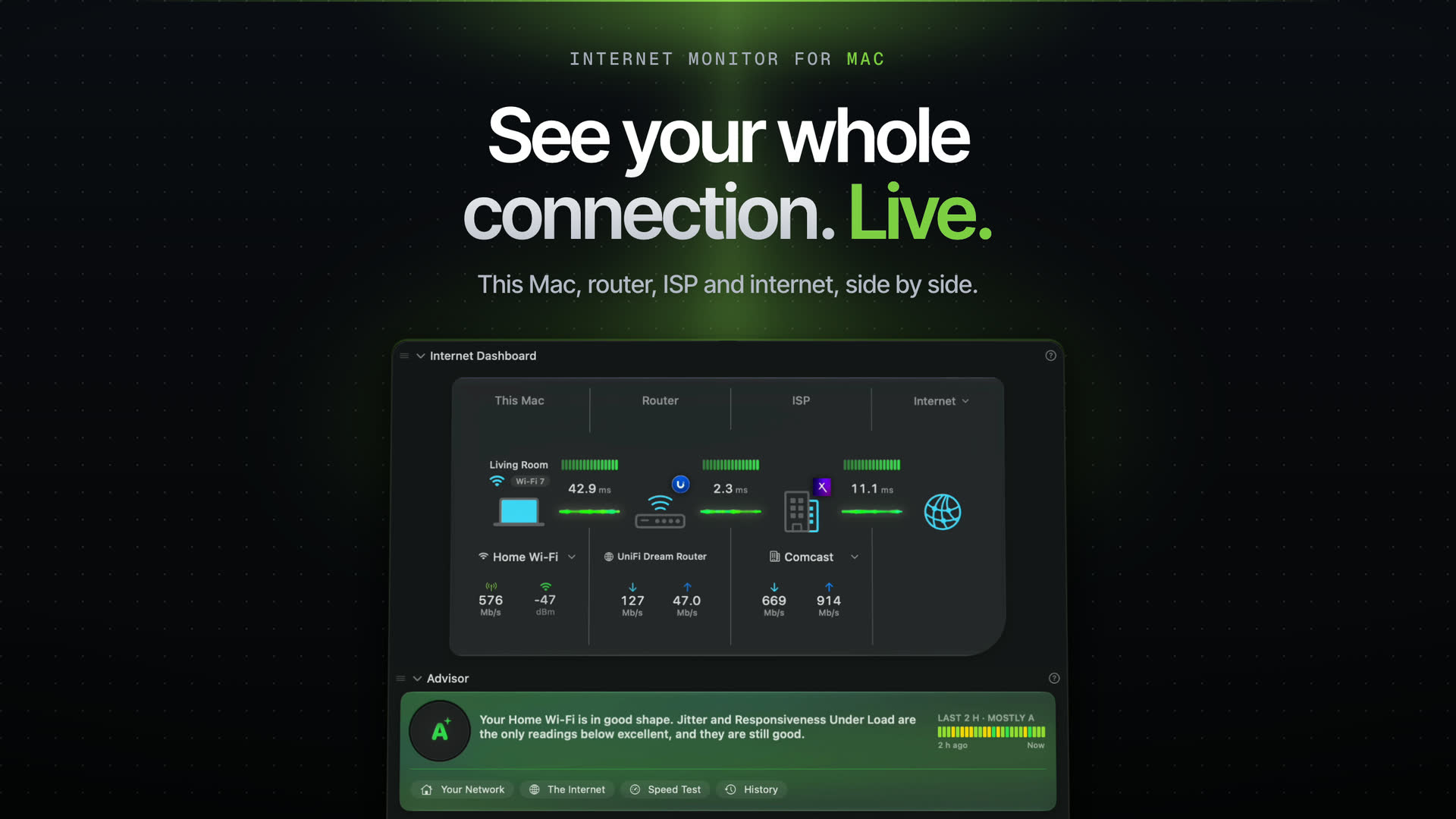
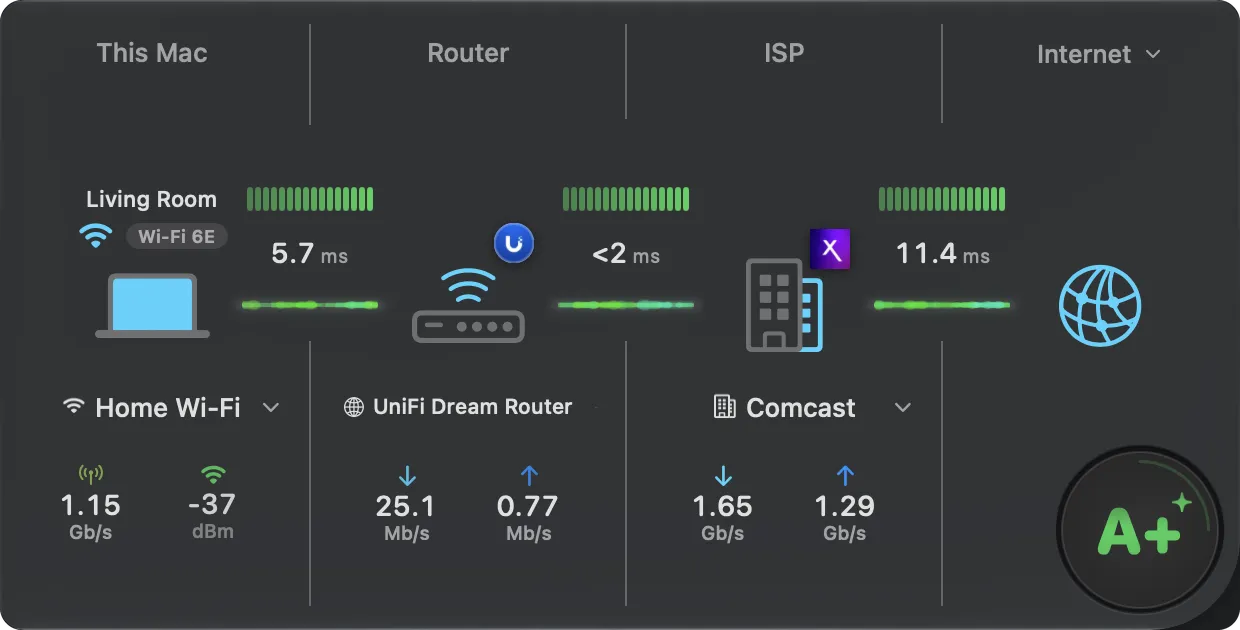
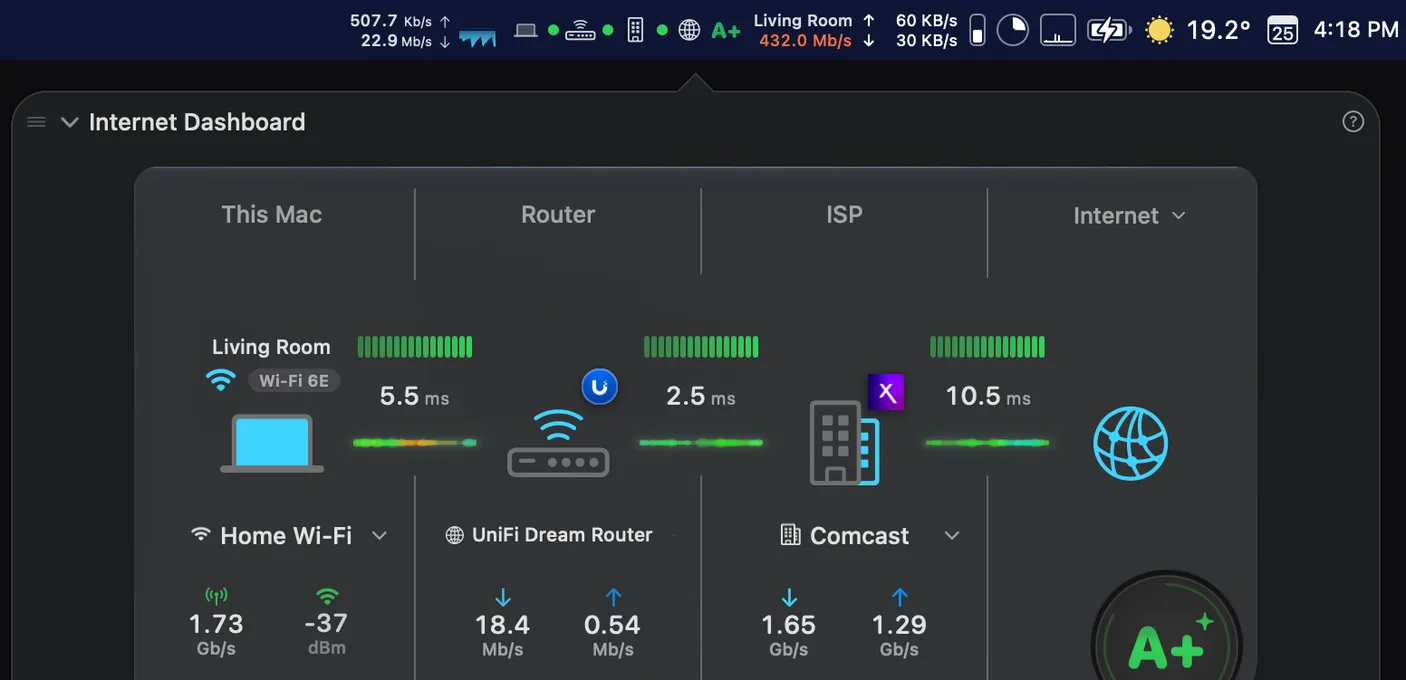
Your Internet, at a Glance
A complete real-time view of your network path — from your Mac to your router, ISP, and beyond. Click This Mac, Router or ISP for its details.
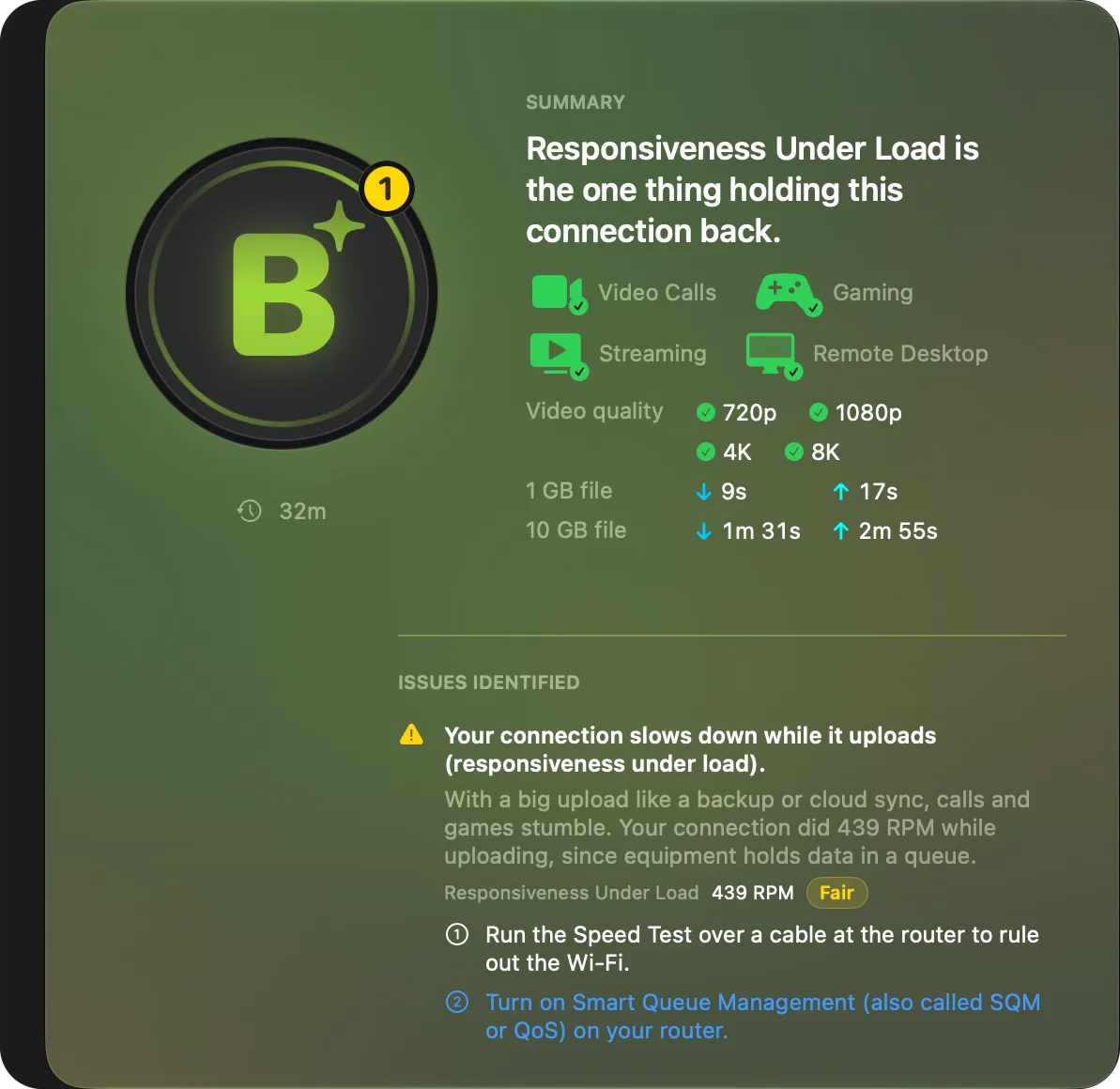
PeakHour Advisor
Grades your connection, checks it for video calls, gaming and streaming, and explains what holds it back. Written on your Mac, or with Private Cloud Compute if you choose.
Wi-Fi Intelligence
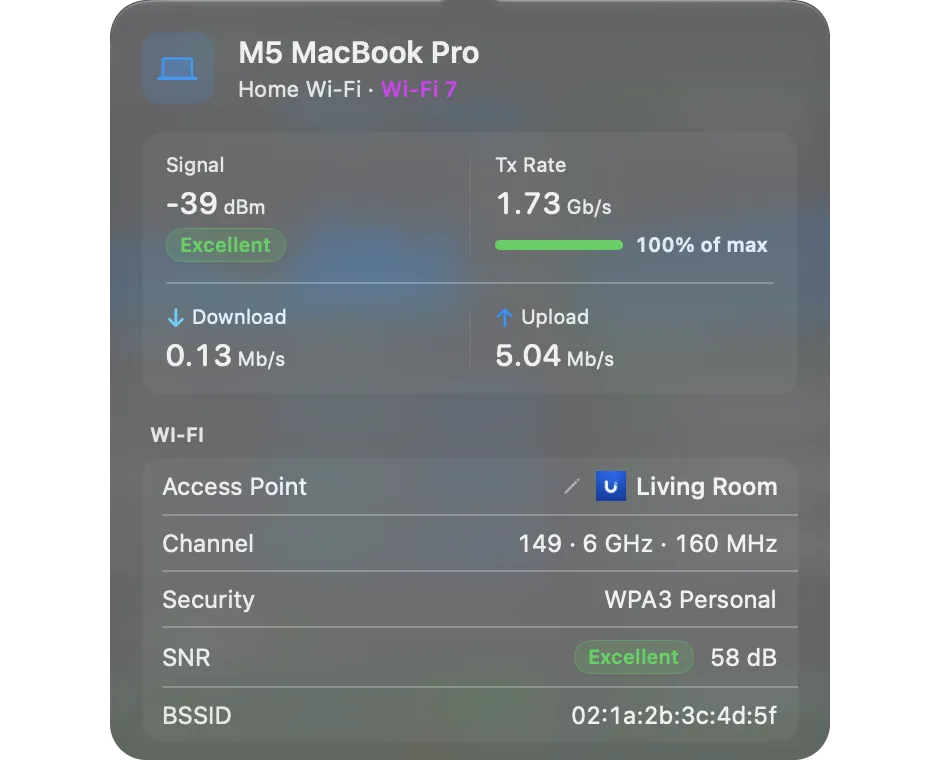
Signal and SNR ratings, Tx rate as a share of its maximum, and channel details.
Instant Notifications
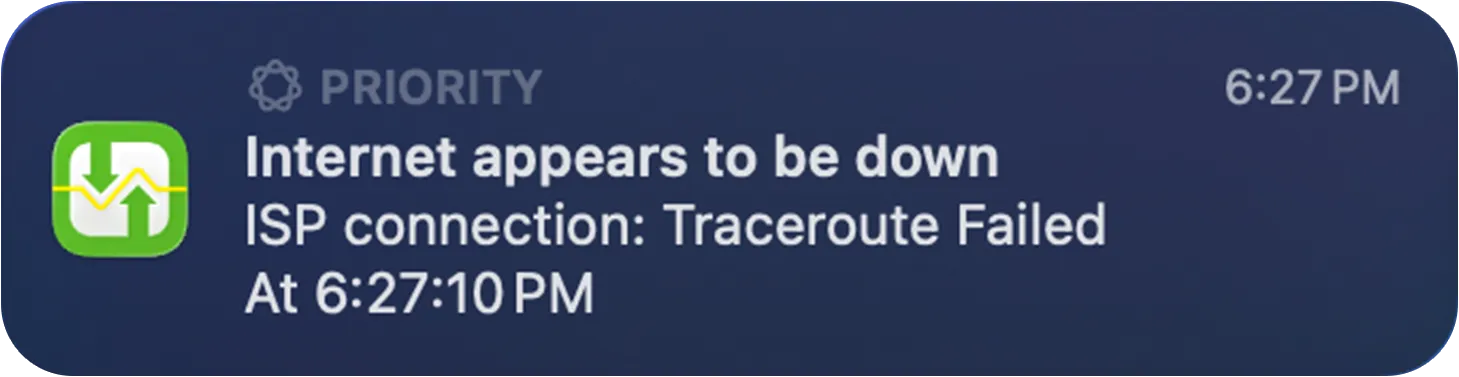
Know when your connection drops, when it's back — and when your Wi-Fi struggles.

Every Byte, Every Millisecond.
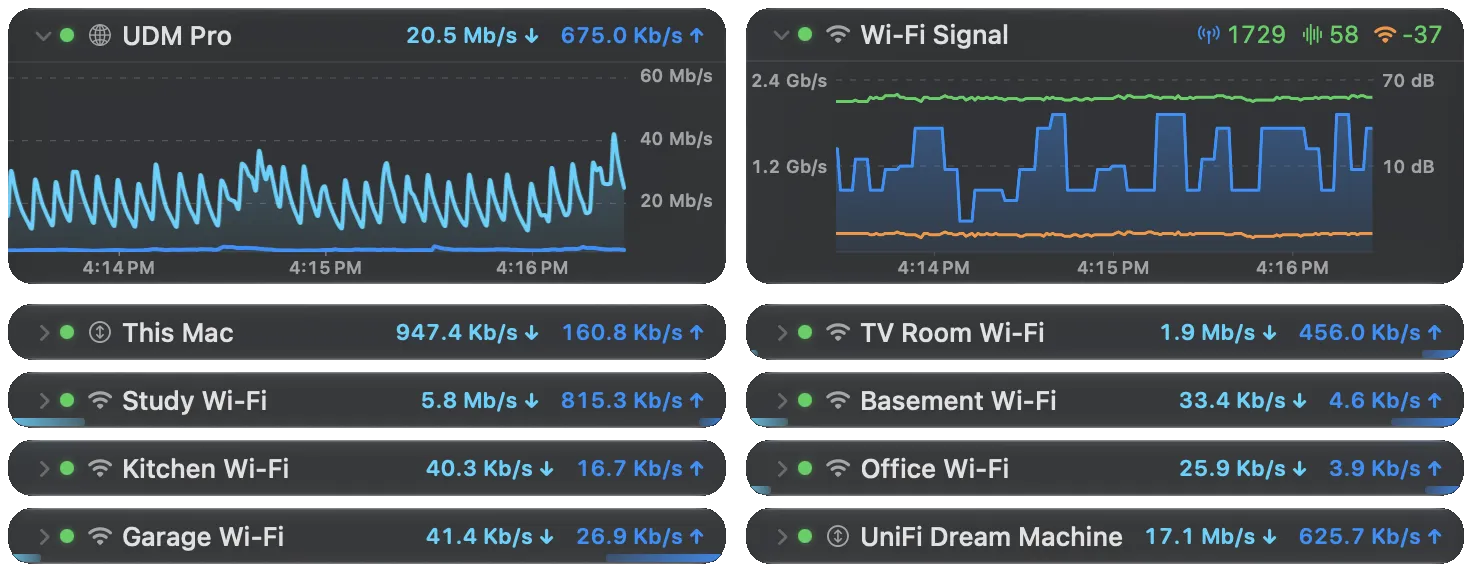
Dedicated real-time monitors for every device and connection point, and for the AI services you rely on, such as Claude and ChatGPT.
Beyond the Speed Test
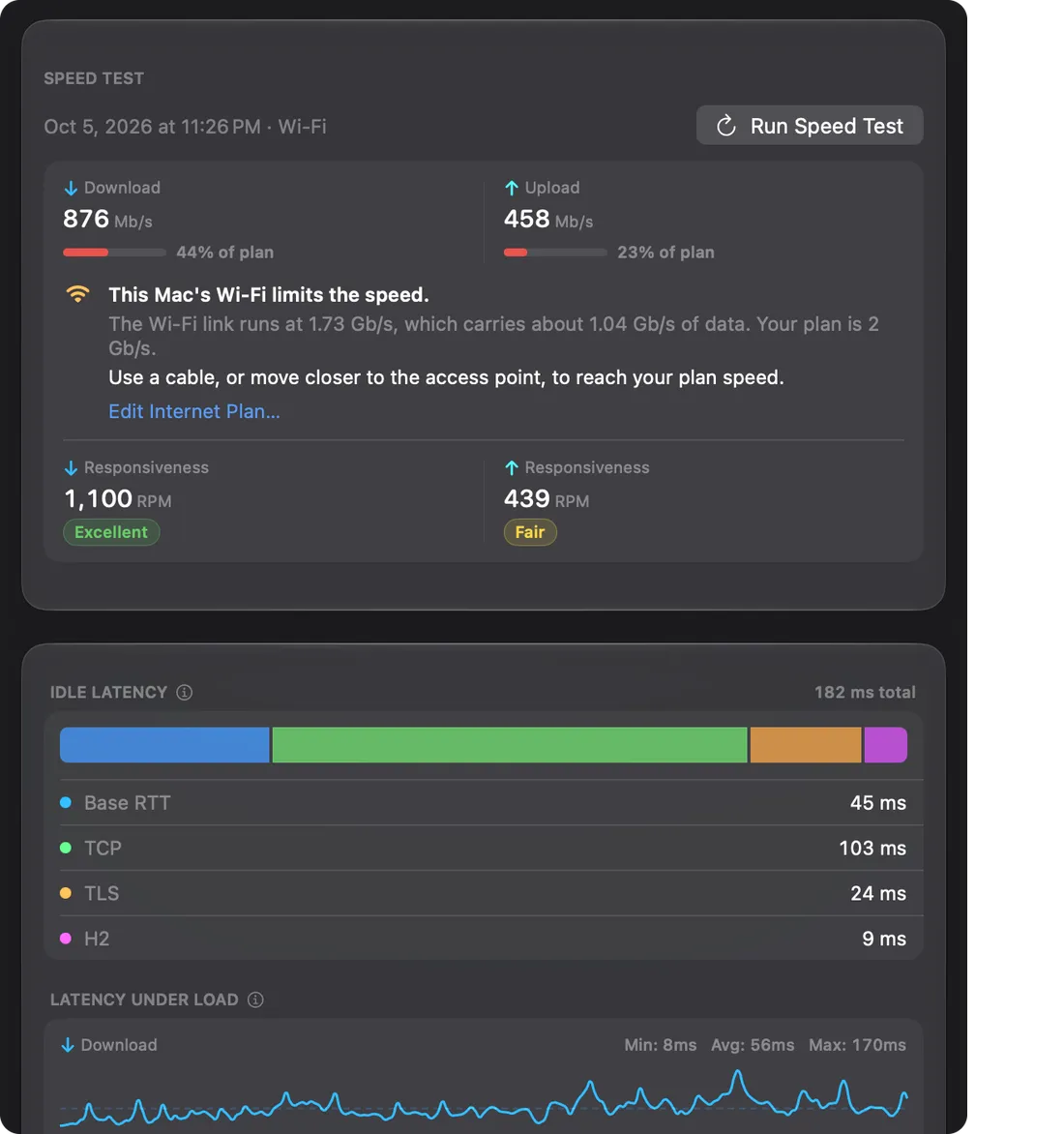
Responsiveness (RPM), latency under load, and the share of your plan you get. On macOS 26 or later, the full report is the Advisor's Speed Test page.
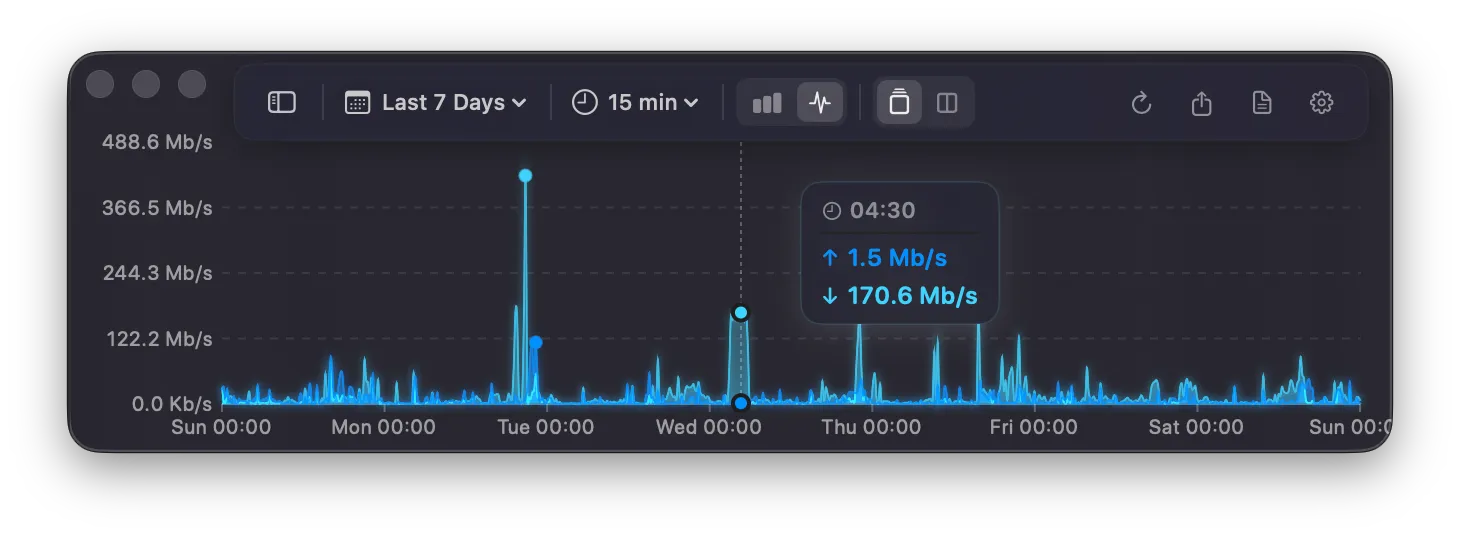
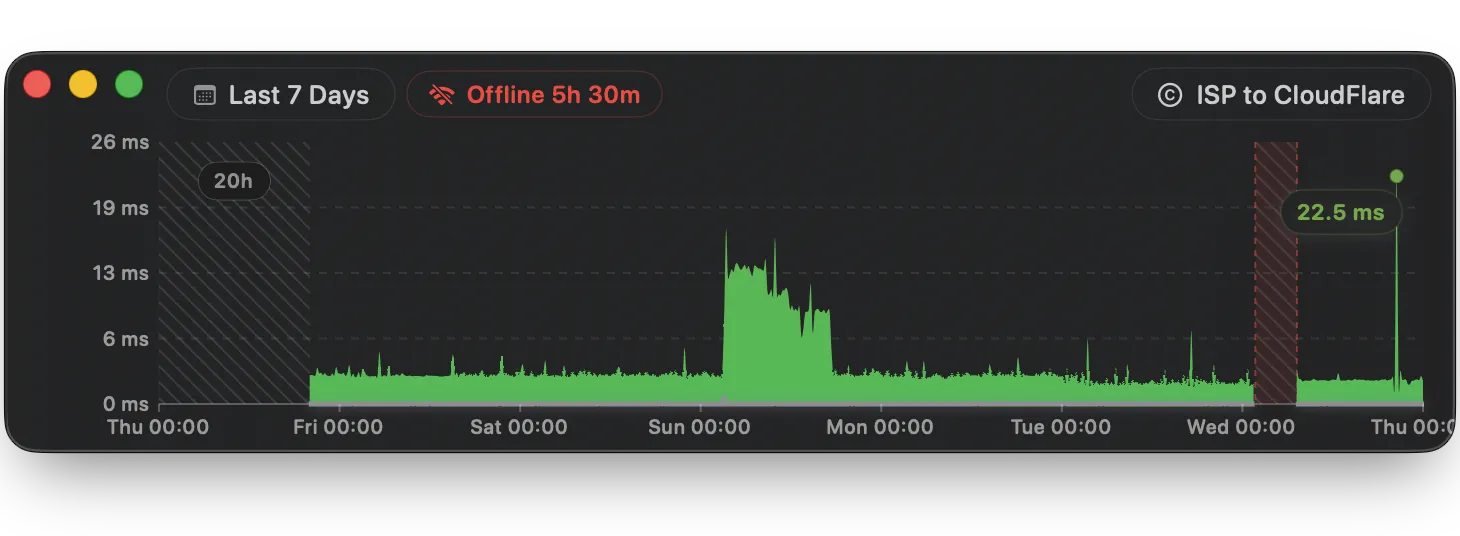
Every Spike, Every Trend.
Analyze long-term trends with comprehensive bandwidth and latency history charts.
Always in Your Menu Bar
Live bandwidth, latency, and status right in your macOS menu bar — with instant notifications.
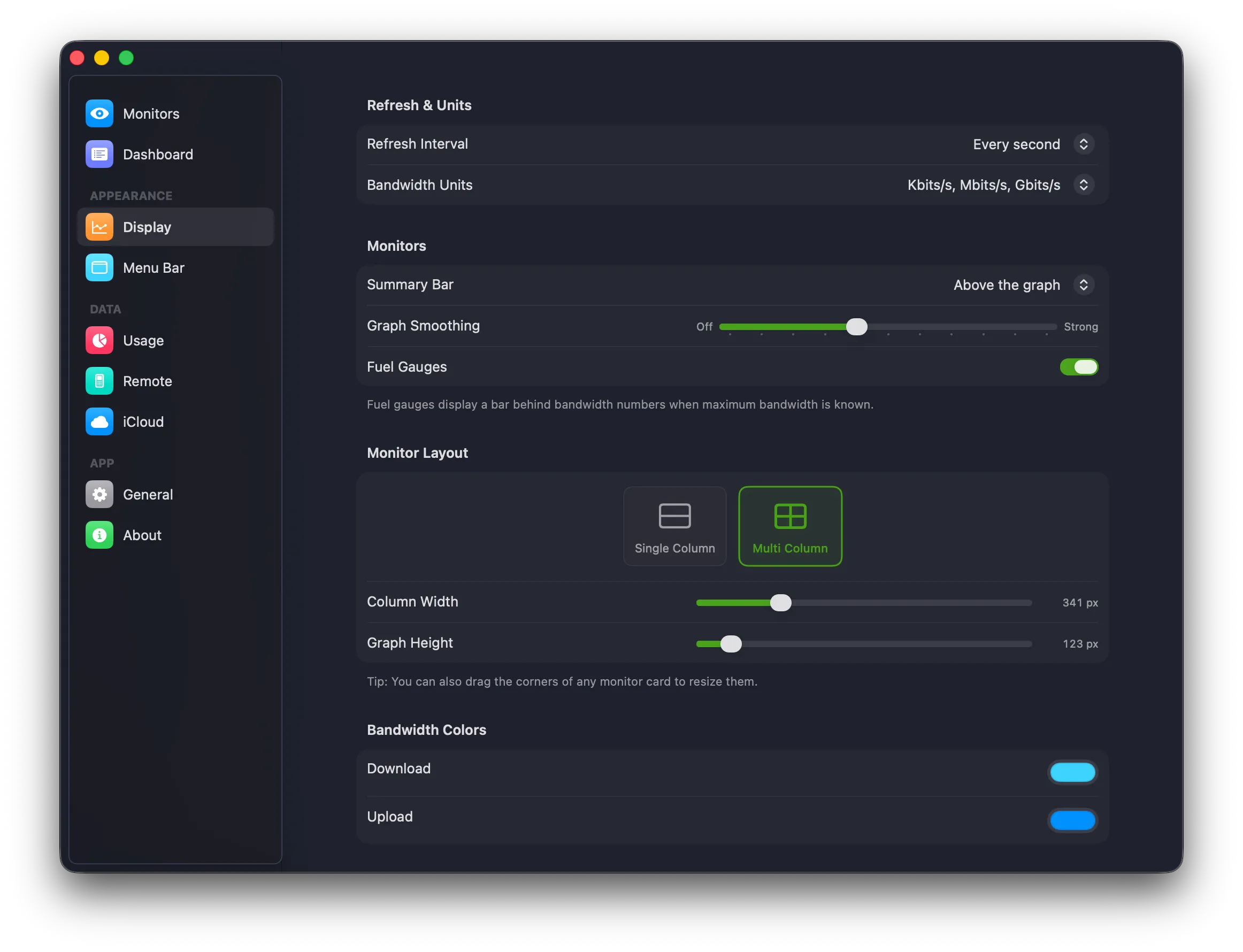
Customize Everything
Polling intervals, alert thresholds, menu bar layout, and notification rules.
Make PeakHour Yours
PeakHour 6.2 measures the sites you use, and lets you arrange the main window.
Arrange Your Window
Drag a section to move it. Show or hide sections from the footer.
Up to 10 Internet Sites
Measure the sites you use. The dashboard shows which site has a problem.
Advisor at a Glance
Your grade, what holds it back and the last 2 hours, in the main window.
macOS 26 or later
Wi-Fi Signal Monitor
Graph the Tx rate, SNR and signal of your Wi-Fi, with history and CSV export.
Speed Test From the ISP Card
Click Test Again on the ISP card. Each result can set your available bandwidth.
Offline at a Glance
A label drops down when you lose the network or the Internet, and shows for how long.
See What Limits Your Speed
PeakHour 6.1 explains your connection in plain English, and checks against the plan you pay for.
Clearer Dashboard Details
Click a column for its details: live figures, Wi-Fi quality, and your router and ISP at a glance.
Your Internet Plan
Enter the speeds you pay for. Each speed test shows the share you get, and what limits it.
Speed Test in the Advisor
The full report: idle latency, latency under load and responsiveness, each explained.
macOS 26 or later
Routes and History
See each router on the way to your sites, and every past grade and speed test.
macOS 26 or later
Wi-Fi Alerts
Get a notification when a weak signal, interference or a slow link lasts 2 minutes.
Private Cloud Compute
Opt in to Apple's larger model for richer Advisor answers. Ask now knows your full speed test.
macOS 27 with Apple Intelligence
Built with Apple IntelligenceA Massive Leap Forward
PeakHour 6 is the biggest update yet — rebuilt from the ground up with AI intelligence, modern protocols, and a stunning new design.
AI-Powered Network Advisor
Grades your network with a letter score and a plain-English explanation, written on device or with Private Cloud Compute.
Built with Apple IntelligenceLiquid Glass Dashboard
Completely redesigned, with fluid sphere gauges, optional particle effects, and a details card for each hop.
Rewritten History Charts
Canvas + Core Graphics renderer with spline curves, opposed split views, and congestion gradients.
Self-Healing Recovery Engine
Circuit-breaker logic, graduated probe promotion, and automatic recovery from outages/sleep.
Deep Network Inspection
Router, ISP and Wi-Fi intelligence gives you more tools to understand what is happening.
Modern Settings, Onboarding & Performance
SwiftUI onboarding wizard, drag-to-resize cards, live previews, and dozens of CPU optimizations.
... plus hundreds of other improvements
Trusted by Mac power users.
See what the community is saying about PeakHour.
Fantastic Monitor
@bink00
When having intermittent internet connection issues, this really helped understand the problems… This should really be part of Activity Monitor!
It is a very good app!
@Go_habs_go
I really like this app. You know exactly what is going on with your internet connection from up to the second 'pings' to connecting to your router with bandwidth info. Beautiful and informative.
Long time user
@hObOHammerFighter
I'm a long time user of Peak Hour and it's one of those apps I can't do without. I have it monitoring my firewall as well as several machines. I even have it setup to monitor different firewalls at different work offices… Love it.
Nice update!
@shamam
Handy tool to check on your bandwidth usage to the internet and on local devices. I've been using this app since version 3 and it continues to improve. The developers are responsive to support requests.
Well done sir!
John G. Boake
I have been in some form of the Telemetry business for more than half my life, let’s just say more than 30 years… I don’t write many reviews, only a handful for products I have believed in thoroughly but your product has inspired me. PeakHour 6 is the exact product I have been looking for.
Amazing new version!
@BetaTester
The interface is extremely well thought out and so much easier to see at a glance. It also feels so much lighter, like a lot of work has been done to make the code more efficient. Congratulations on an amazing release!
Pricing
Choose your network
intelligence plan.
Subscribe for continuous savings or pay once and own it forever.
Annual Pass
Just $15.99/yr for PeakHour 4 users
- Always-on network telemetry
- Access to all advanced features
- Never miss an update — big or small
- Priority email support
One-Time Purchase
Just $47.99 for PeakHour 4 users
- Own it forever. No recurring fees.
- Access to all advanced features
- Never miss an update — big or small
- Priority email support
Already subscribed? Upgrade in the app →
Frequently Asked Questions
Yes. In PeakHour 6.1 or later, open Settings > About and click Get Lifetime License…, or choose Get Lifetime License… from the PeakHour menu. This works during the free trial too. Your Annual Pass keeps renewing until you cancel it in your App Store subscriptions, and Apple gives no credit for the unused part. See the steps.
It applies automatically. Install and activate the latest PeakHour 4, then open PeakHour on a Mac signed in to iCloud with the same Apple Account. The purchase screen shows the PeakHour 4 discount. See the steps.